Some players love to experiment with their favorite games. Like, some players want to play Minecraft Java Edition on an Android phone. As this sandbox game is specifically designed for PC, it can only work on Windows, macOS, and Linux. But now, by using MojoLauncher, Android players can play Minecraft Java Edition on mobile devices easily.
It removes the limitation of only using the Minecraft Bedrock version on mobile. This project is based on PojavLauncher, which also supports a wide range of Minecraft versions.
It makes the process of playing the Java edition on mobile devices easy and smooth. Moreover, with MJLauncher, you can also use mods with the help of Forge, Fabric, and OptiFine.
In this article, we will explore how you can download MJLauncher, its features, steps to play, and more. So keep reading!
What is MojoLauncher?
MojoLauncher is also known as MJLauncher after the latest updates. It is an Android Launcher which players use to play Minecraft: Java Edition on their mobiles or tablets. Once you install it, you can play the Java version of Minecraft on mobile.
It means you don't need a computer to play this version. When you use mods, you will be able to add cool features, new items, or change the game appearance and gameplay interface. However, you should note that when you run the Java Edition, you can only use Java features, such as hardcore mode, advanced redstone, and Java servers.
You cannot access features of the Bedrock version or cross-play these games. The launcher can run almost all available Minecraft versions, from very early releases to 26.x snapshots.
Key Features of MojoLauncher APK
The Mojo Launcher APK contains many exciting features. All these features help players to easily play the game on their mobile. Some of them are given below:
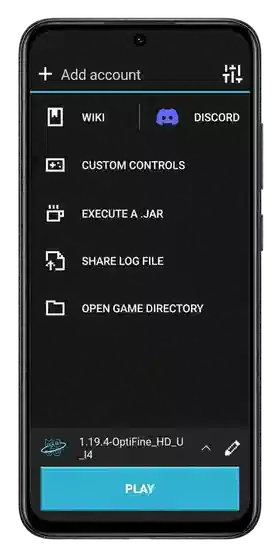
Minecraft Java Edition Support
As we know, the Minecraft Java Edition is not designed to run on mobile devices. But the MJLauncher supports this feature. You can use it to run the Java edition of the game on your Android mobile.
Moreover, it also supports almost all other versions of Minecraft. These include snapshots and Combat Test versions.
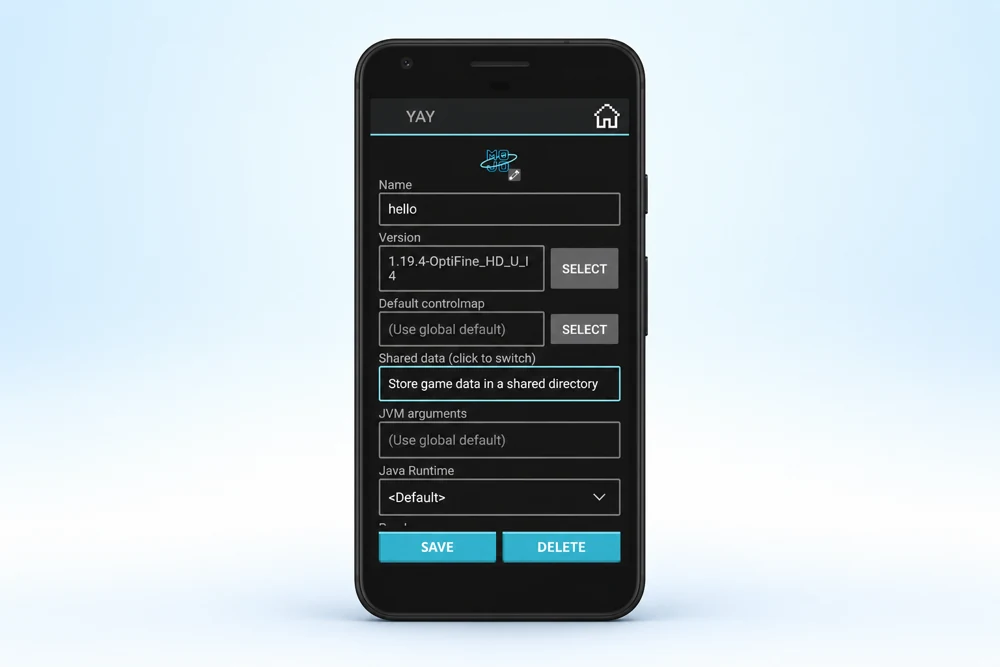
Allow Mods To Customize
You are also allowed to install the popular mod loaders such as Forge and Fabric on your mobile. So, with this, it becomes easy for you to use many Java Edition mods. These mods will help you to customize various in-game features.
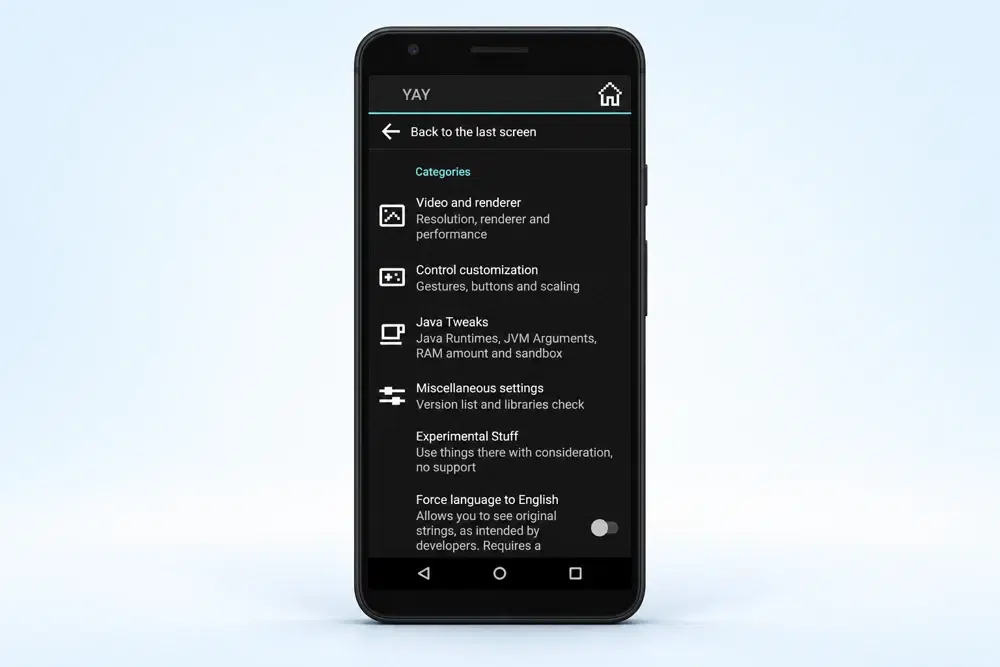
Support Modern Rendering
The modern game versions have advanced graphics, sound effects, and other visuals. So, the latest release of MJLauncher is compatible with modern graphics.
This includes Freedreno, newer Mesa components, ANGLE support for GL4ES, and others. Due to this feature, you will not have to experience any compressed game quality or slow loading.
ModPack Import
The new versions of MJLauncher also contain local .mrpack and CurseForge .zip modpacks. This additional feature makes it easy to load local modpacks into this launcher.
Easy Account Login
This launcher makes account management smooth for all players. You can sign in to your Minecraft game account and use the full game features. Moreover, you can also play in the demo mode without logging in to the app.
Custom Touch Control
The customizable on-screen control feature helps players play Minecraft Java Edition on Android touchscreens smoothly. This is because you can change the control layout for movement and other in-game actions. These features make the game easy to play without a physical keyboard and mouse.
Multiplayer Server
Players can also enjoy the multiplayer features after installing the MJLauncher on their mobile phones. However, this feature also depends on the compatibility of the selected Minecraft version, account, server, and network setup.
Receives Regular Updates
The Mojo Launcher is an open-source project, which receives frequent updates. These updates are related to game compatibility, rendering, input, and Minecraft support.
Moreover, the latest updates also support Minecraft 26.2+, new graphics options, modpack imports, and updated Mesa and LWJGL components. You will also find that the new version is free of errors and bugs.
How to Install MojoLauncher on Android Devices?
You can follow these steps to download the Mojo Launcher on your Android mobile devices:
- You should search for and visit the Mojo Launcher trusted website from your browser.
- Now, choose the suitable build to download.
- Now, click on the download button to start downloading the launcher.
- Next, open the downloaded file on your Android device.
- Allow installation from “Unknown sources” in your Android mobile settings.
- Click on the file and complete the installation.
- In the next steps, you should open MJLauncher and set the required Minecraft settings.
- Sign in with an appropriate Minecraft account when required.
- Select a compatible Minecraft Java Edition version and launch the game.
System Compatibility of MJLauncher With Android
No doubt, MJLauncher is designed to run on Android devices. But the performance and smoothness mainly depend on your mobile hardware and graphics driver.
Here is a table showing system compatibility of MJLauncher:
| Compatibility | Details |
|---|---|
| Platform | Android |
| Minecraft Edition | Java Edition |
| Minecraft Versions | rd-132211 to 26.x |
| Mod Loaders | Forge, Fabric |
| Mod Support | .jar, OptiFine |
| Graphics | GL4ES, ANGLE |
| Adreno Support | Turnip driver |
| Mali Support | Zink plugin |
| Android 11 | Mod import issue |
| Android 15 | Keyboard issue |
| Architecture | ARM, ARM64 |
| Java Runtime | Built-in runtimes |
| Modpacks | MRPACK, CurseForge ZIP |
How to Play Minecraft Java Edition Using MJLauncher?
For screenshots and each setup step, follow our How to Use Mojo Launcher guide, from account login to your first world.
After installing the Mojo Launcher, you have to configure Minecraft Java Edition before starting to play.
Here are the steps to setup the game and then start playing:
- You should open MJLauncher.
- After that, you should sign in to the Launcher using your supported Minecraft account.
- Select the Minecraft version you want to run.
- Allow the launcher to download the required game files.
- Choose suitable memory and graphics settings.
- Configure controls for your touchscreen or connected peripherals.
- Start the selected Minecraft instance.
Exploring Different Mods of MJLauncher
One major reason why players want to play the Java edition is that it provide large modding environment. It allows you to load Forge and Fabric in-game. By using them, you can customize many features in the game.
Here is a table showing all mods in the launcher:
| Category | Mod/Pack | Purpose |
|---|---|---|
| Performance | MJ Optimized | Lag reduction |
| Sodium | FPS boost | |
| OptiFine | Graphics optimization | |
| Mod Loader | Fabric | Lightweight modding |
| Forge | Advanced modding | |
| Mod Management | Modly Mod Manager | Mod management |
| Modrinth | Mod downloads | |
| CurseForge | Mod downloads |
How to Fix MojoLauncher Not Working on Android?
Sometimes, the MJ Luanher install smoothly, but the Monecraft is unable to open. These problems can occur due to the game version, renderer, Java runtime, mods, or device hardware. If you too experience any of these issues, you can try these fixes:
- You should restart the Mj Launcher on your device. Close it completely and then open it again.
- You should also ensure that your selected MJ version is compatible with your device and launcher build.
- If there are graphics compatibility issues between Android GPUs and renderers, then you must try another renderer.
- You should also have enough space to run all files. If there is a storage issue, you should clear some space.
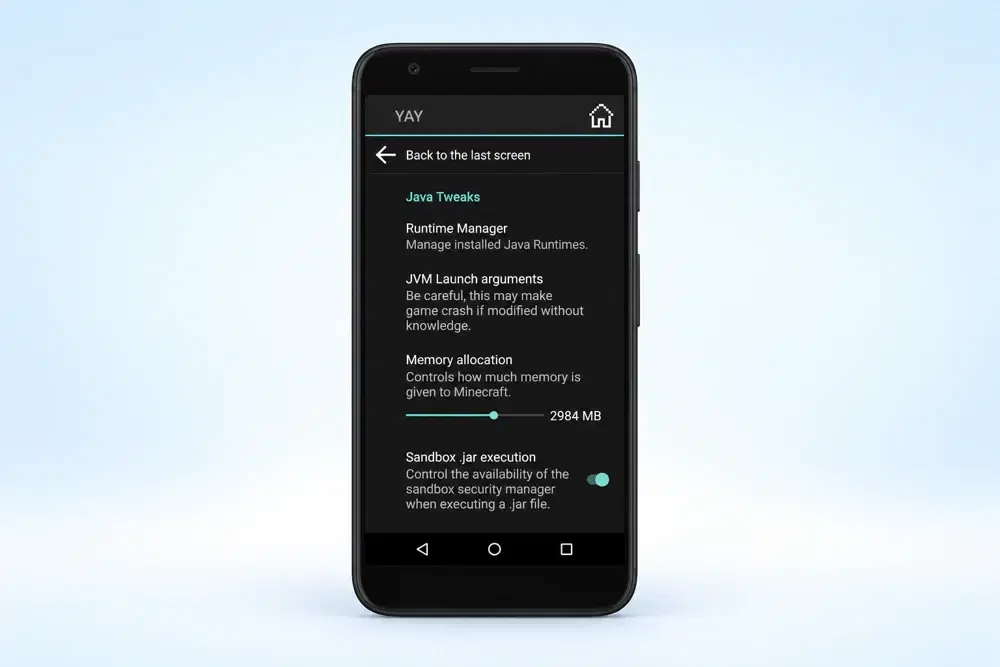
Comparison of MojoLauncher vs PojavLauncher
Both MojoLauncher and PojavLauncher are Android Launchers which player suse to run Minecraft Java Edition on mobile. However, both launchers support mods and multiple Minecraft versions, but there are some differences between features.
Here is a comparison table between MJ Launcher and PJ Launcher.
| Feature | MojoLauncher | PojavLauncher |
|---|---|---|
| Purpose | Minecraft Java launcher | Minecraft Java launcher |
| Platform | Android | Android, iOS |
| Project Base | Based on PojavLauncher | Original project |
| Minecraft Support | Java Edition | Java Edition |
| Forge Support | Yes | Yes |
| Fabric Support | Yes | Yes |
| OptiFine Support | Yes | Yes |
| Modpacks | MRPACK, CurseForge ZIP | Supported |
| Rendering | GL4ES, ANGLE, Vulkan-related options | GL4ES, Vulkan-related options |
| Open Source | Yes | Yes |
| Current Name | MJLauncher | PojavLauncher |
Conclusion
MJ Launcher is the new name of the MojoLauncher. It is an application that allows Android players to play the Java version of Minecraft with various versions, mods, and customizable settings on their mobile phones.
The compatibility and performance of MJ Launcher will depend on your device's hardware, its renderer, and Minecraft configuration. Moreover, when you install the app, ensure you install it from a safe and trusted source to avoid issues.
Personalize your character with our Mojo Launcher skin download guide, including PNG skin sources and upload steps.